



WordPress fatigue setting in?
Send us your site and we'll share what a Webflow rebuild could look like.
Show us your site
Send us your site and we'll share what a Webflow rebuild could look like.
WordPress isn't going anywhere, but for fast-moving teams, Webflow has become the smarter choice. Here's where each shines, where they fall short, and why marketing teams are making the switch.
The CMS you choose can either be your startup's best friend or its worst nightmare. You want something fast, flexible, and ready to grow with you. WordPress has been around forever, but startups are flocking to Webflow because it actually lets you design freely, move fast, and keep marketing in the driver's seat.
For teams that need speed, the right platform can be the difference between a site that drives results and one that just gets in the way.
WordPress has been around forever, and for good reason. It's open-source, super customizable, and there are tons of developers and plugins out there. For many teams, it feels like the safe choice.
But there's a tradeoff. For small, fast-moving startups, WordPress can quickly feel like a headache without a painkiller in sight. Constant updates, security patches, plugin conflicts, and slow development cycles mean your team ends up spending more time fixing the website than actually using it to grow the business.
If your team is small and needs to move fast, WordPress can create friction:
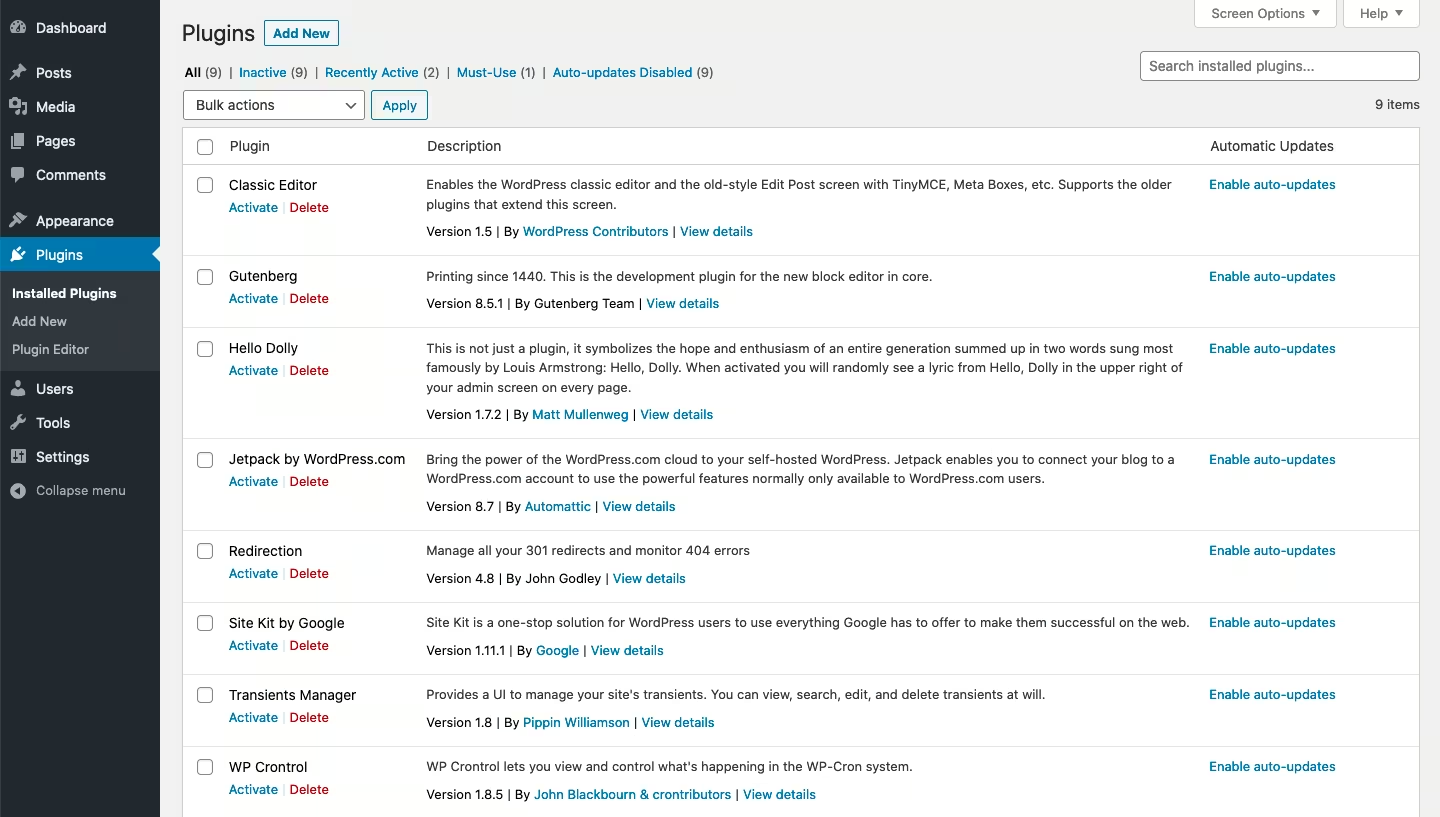
At the end of the day, you get a website that works, but it might not scale well or convert as effectively as you need.
When the team at Skilljar partnered with Crew, they were ready to break up with WordPress. After almost a decade together, things had gotten… complicated. Simple updates took forever, and the site couldn't keep up with how fast their marketing team was moving.
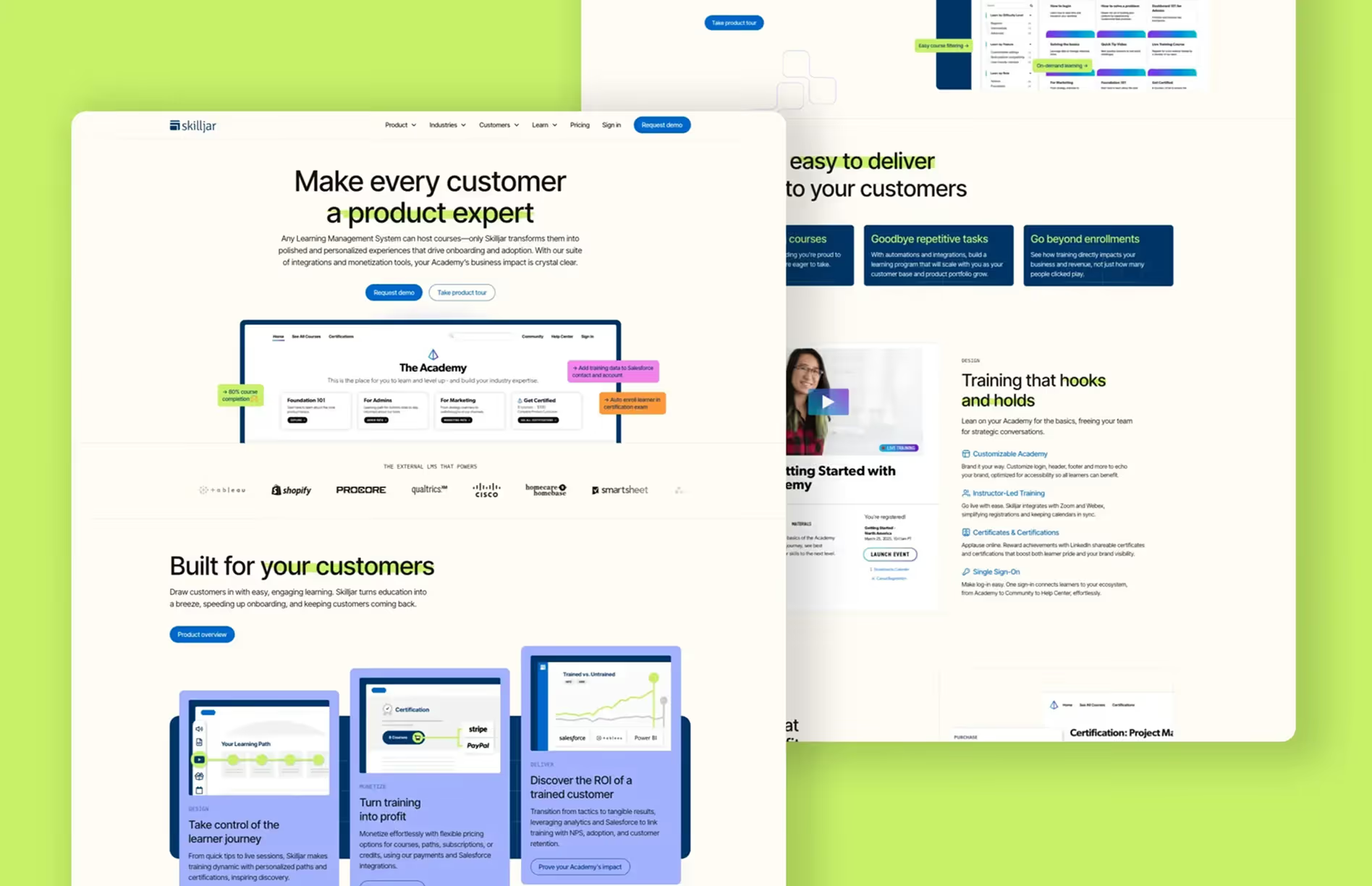
Crew stepped in and rebuilt Skilljar's site in Webflow, giving them a flexible, design-forward setup that's actually fun to manage. The new site is faster, more dynamic, and finally reflects the brand Skilljar has grown into.
"Crew modernized our website with major visual brand updates and transitioned our 10-year-old site from WordPress to Webflow. Together we launched a beautiful, performant new site on time and on budget. I couldn't have asked for better partners."
— Ali Biggs, VP of Marketing at Skilljar
For Skilljar, the switch wasn't just about a new look. It was about freedom. They can now create, update, and experiment on their own timeline, no dev tickets required.
Webflow isn't just a drag-and-drop tool. It's a full website experience platform that gives startups speed, flexibility, and control all in one place.
Here's what makes it stand out:
Webflow lets startups move at the pace of their ideas. In Edit mode, marketers can jump in to tweak copy, swap visuals, or launch new pages. No code, no dev queue, no waiting around.
Roles and permissions keep things safe, giving the marketing team the freedom to create while keeping design and structure protected.
Feedback gets faster too, with teammates commenting right on live pages, previewing changes in context, and publishing updates in minutes instead of days.
For fast-moving teams, that kind of speed keeps messaging, product positioning, and design evolving right alongside the business.
We know startups need speed. Webflow gives you the tools to move faster.
Here's how:
Compare that to WordPress, where even minor changes often mean coordinating across developers, IT, and marketers. Webflow is the engine that keeps your team moving (especially when you start early).
A nice-looking website isn't enough for startups. It has to get results.
Webflow helps your site:
At Crew, we help startups get the most out of Webflow by combining smart design, reusable components, and marketing know-how. We don't just make sites that look good. We make sites that are easy to update, grow with your business, and actually help convert visitors into customers. Your marketing team can jump in anytime without waiting on developers.
Take a look at some of the websites we've built to see it in action: Crew Portfolio.
WordPress is powerful, but it can feel slow, maintenance-heavy, and cumbersome for startups. Webflow gives fast-moving teams the speed, control, and flexibility they need to launch, iterate, and scale, while keeping a polished, on-brand experience. For startups ready to move fast without sacrificing quality, Webflow is often the smarter choice.
We get it, it's a big decision. Jump on a quick call with us to talk about whether Webflow might be a fit for your team, and we'll give it to you straight.
For B2B marketing sites, Webflow wins in almost every scenario. WordPress requires plugins for nearly everything, needs regular security updates, and often locks your marketing team out of making changes without a developer. Webflow ships cleaner code, loads faster out of the box, gives your team direct editing control, and doesn't need a plugin ecosystem to function. If you're running a B2B marketing site (not a massive content publisher or ecommerce store), Webflow is typically the stronger choice.
Yes. We've migrated sites from WordPress, HubSpot CMS, Squarespace, and custom-built platforms into Webflow. The process includes content migration, URL mapping, redirect setup, SEO preservation, and CMS restructuring. We don't just move content over. We use the migration as an opportunity to clean up information architecture, improve performance, and fix structural issues that accumulated on the old platform.
Webflow gives marketing teams direct control over their site without waiting on developers for every update. It's fast, flexible, and produces clean code that performs well for SEO and AI discovery. The visual CMS, component system, and native hosting mean you get a site that's easy to scale, easy to manage, and easy to keep fast. For B2B marketing sites specifically, it's the best platform we've worked on.
That's the goal. We build every Webflow site with the assumption that your marketing team will be making updates directly. That means clean CMS structures, intuitive component systems, and clear editing guidelines. We also run a handoff session where we walk your team through everything. If you're on retainer, we handle the complex stuff, but day-to-day content updates should never require a developer.
You own it completely. Your Webflow site lives on your account, under your billing, with your credentials. If you ever want to bring management in-house or switch agencies, you take everything with you. We don't use proprietary code, locked templates, or anything that creates dependency. The site is yours.